


Charge with mobile app,
QR code web app & USSD code
SupaChaja gives EV drivers multiple ways to start and manage charging sessions, making access practical across different devices, connectivity levels and payment habits. Whether a driver uses a smartphone, prefers not to download an app or relies on a feature phone, the platform provides a suitable way to connect, pay and charge.
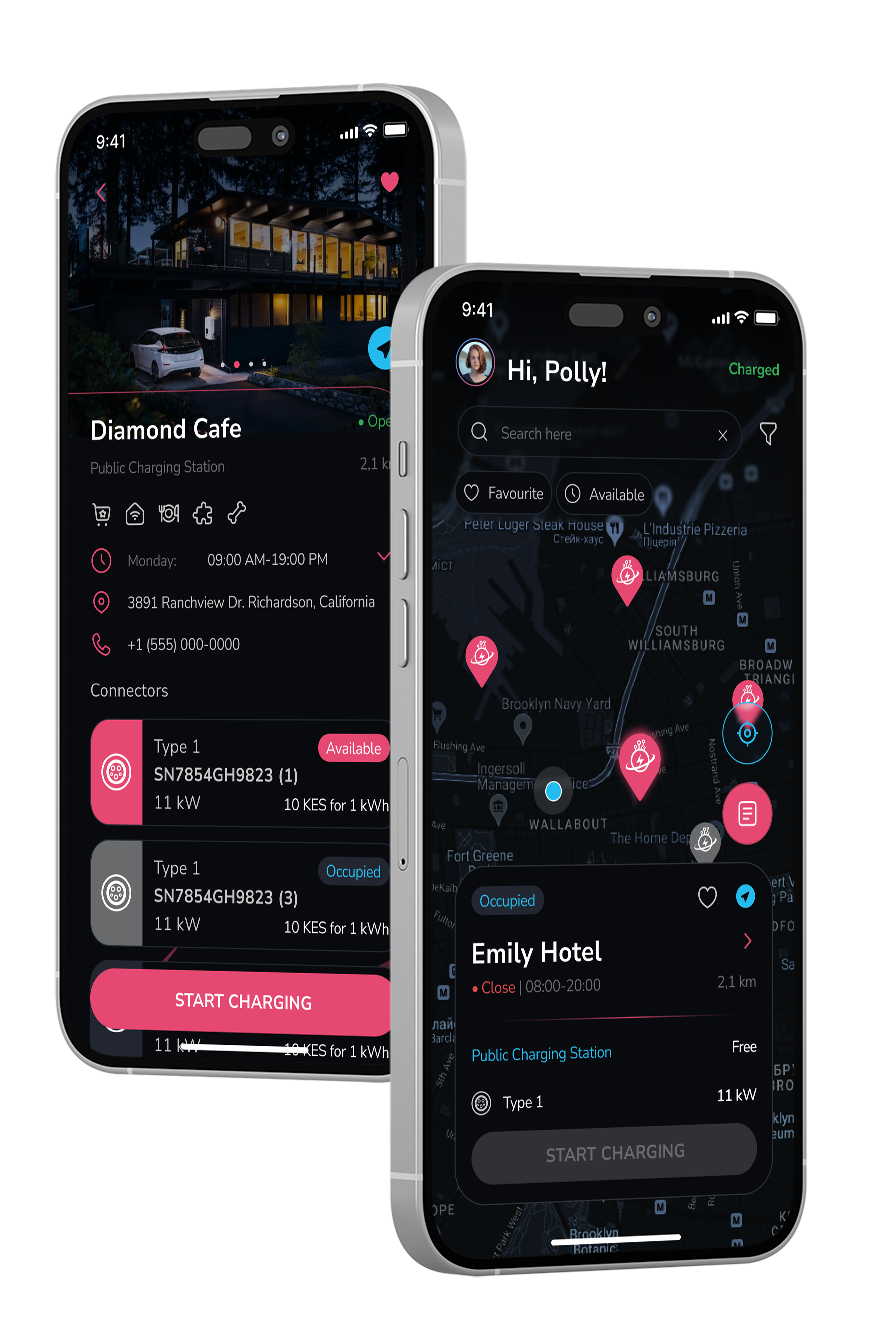
Mobile App
The SupaChaja mobile app provides the complete charging experience for regular EV drivers. Users can locate compatible stations, check charger availability, start and stop sessions, monitor energy consumption, make digital payments and review charging history. It is best suited for smartphone users who want full visibility and control across the SupaChaja network.
QR Web App
The QR web app enables drivers to charge without installing an application. The user scans the QR code displayed at the station, opens a secure mobile webpage, selects the connector, completes payment and starts the charging session. This option is ideal for visitors, first-time users, shared vehicles and drivers who want a fast checkout experience without using phone storage or creating a full app account.
USSD Code
SupaChaja’s USSD option is designed for drivers using feature phones, limited mobile data or areas with unreliable internet connectivity. The driver dials the SupaChaja USSD code, enters the station or charger reference, confirms the vehicle or fleet account and follows the prompts to authorize the session.


Payments and session billing can be linked to mobile money, a driver account or through a digital RFID authorized centrally managed fleet account.